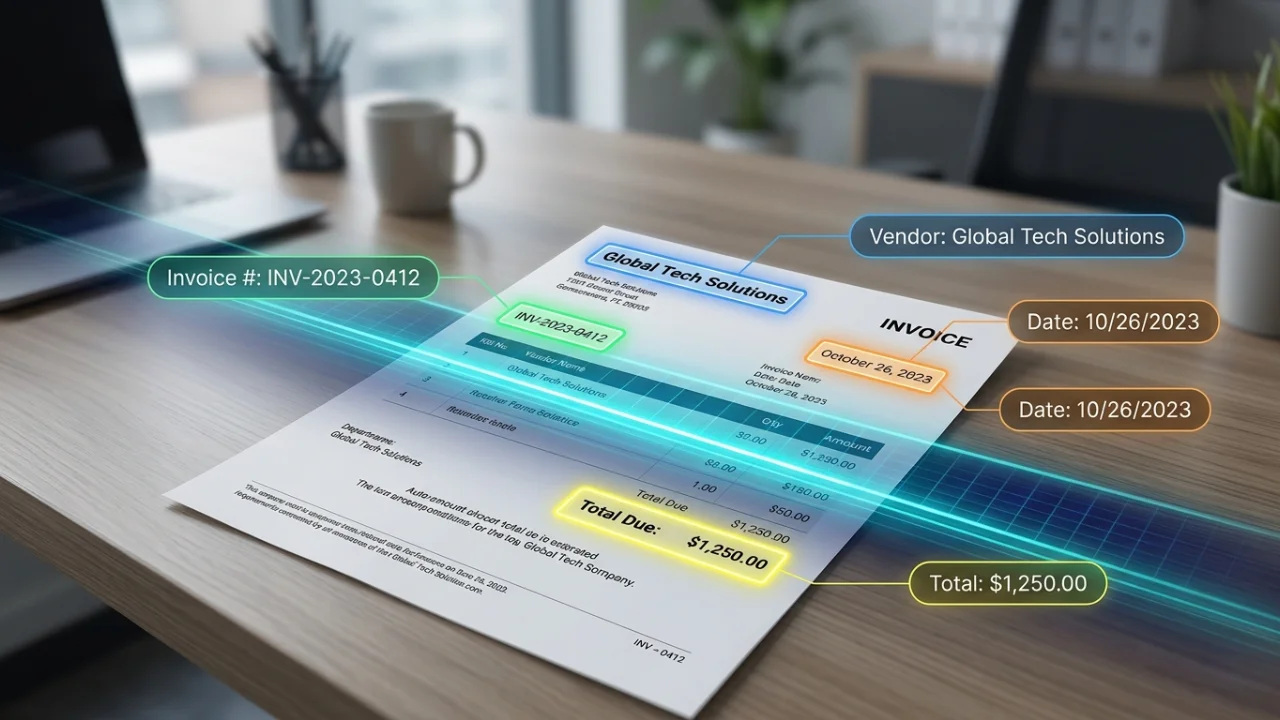
If you’re still typing vendor names, invoice numbers, and line-item totals into a spreadsheet by hand, you’re not just wasting time — you’re introducing errors that compound every month. Invoice OCR (optical character recognition) software reads a scanned invoice or PDF and turns it into structured data: vendor, date, line items, tax, and total, ready to drop into your accounting software.
The challenge is that “OCR” means very different things depending on the tool. Some products are simple scan-to-text converters. Others are full accounts-payable automation platforms with line-item extraction, approval workflows, and direct sync to QuickBooks or Xero. Picking the wrong one means either overpaying for enterprise features you’ll never touch, or underbuying and still doing manual cleanup every week.
This guide compares 10 invoice OCR tools for 2026 on accuracy, line-item extraction, integrations, and pricing — drawn from published vendor benchmarks, independent comparison sites, and verified user reviews on G2 and Capterra, cross-checked against each other rather than taken at face value from any single source.
A note on accuracy claims in this space
Before diving into specific tools, it’s worth being upfront about something most “best invoice OCR software” articles don’t mention: most published accuracy benchmarks are self-reported by the vendors themselves, using their own test documents and their own definition of “accuracy.” It’s common to see every vendor claim 98%+ accuracy and “outperform competitors” in their own marketing materials, which makes head-to-head claims hard to take at face value.
Where we cite a specific accuracy number below, we’ve noted whether it comes from the vendor’s own published benchmark or from independent sources (user reviews, third-party comparison sites). We’d encourage you to treat vendor-published numbers as a starting point, not a guarantee — and to test any shortlisted tool against your own real invoices using a free tier or trial before committing, since accuracy varies significantly based on your specific invoice formats and document quality.
Quick comparison table
| Tool | Best For | Reported Accuracy | Starting Price | Free Tier | G2 Rating | Last Checked |
|---|---|---|---|---|---|---|
| Nanonets | High on clean docs; user-reported issues on blurred scans | From ~$499/month after free tier | 500 pages/month | 4.8/5 (96 reviews) | 32 days ago 🔗 | |
| Veryfi | 98-99% field-level (vendor benchmark) | $0.08/document, pay-as-you-go | 100 documents/month | 4.7/5 (~57 reviews) | 32 days ago 🔗 | |
| Dext Prepare | 99.9% data extraction accuracy (vendor claim) | Business from ~$31.50/mo; Practice from ~$239/mo | 14-day trial only (250 docs/mo, 5 users) | 4.6/5 (293 reviews) | 32 days ago 🔗 | |
| Docsumo | Teams processing high volumes of varied document types | No single vendor headline figure — accuracy described as document-type dependent | Usage-based from ~$0.10-$0.30/page; subscription plans from ~$299/mo | 100 pages/month | 4.7/5 (67 reviews) | 28 days ago 🔗 |
| Parseur | Non-technical teams wanting a genuinely free entry point | No single vendor headline figure — supports 200+ languages via AI-based layout parsing | Free; Micro $39/mo (100 pages); Pro $399/mo (10,000 pages); custom Enterprise | 20 pages/month, permanent, no card required | 4.9/5 (15 reviews) | 28 days ago 🔗 |
| Rossum | Up to 98% accuracy (vendor claim) | Enterprise, quote-based | Trial only | See G2 (mixed on setup time / cost) | 32 days ago 🔗 | |
| ABBYY Vantage | Large enterprises needing highly customizable document processing | Vendor describes near-full automation with human-in-the-loop; one independent reviewer reported ~75% straight-through processing for invoices specifically | Custom/quote-based, volume-metered (~$0.02-$0.10/page depending on volume) | 30-day trial; no permanent free tier | 4.2/5 (33 reviews) | 28 days ago 🔗 |
| Klippa SpendControl | SMBs wanting OCR combined with spend/expense management, especially in Europe | 99% accuracy (vendor claim) | Quote-based tiers (Effective/Premium/Custom); extra invoices from ~€0.28 each beyond plan allowance | No free trial published | See G2 | 28 days ago 🔗 |
| Mindee | 95%+ general accuracy (independent benchmark commentary) | Pay-per-API-call, tiered | 250 API calls/month | See G2 | 32 days ago 🔗 | |
| Adobe Acrobat OCR | Occasional, low-volume use — searchable PDFs, not structured data | Not applicable — text recognition only, no structured field extraction | Included with Acrobat Pro, from ~$19.99/month | Limited free tier for basic PDF tools | See G2 | 28 days ago 🔗 |
Full reviews, ranked
The top 5 are shown in full below. Tools 6–10 cover more specific cases — enterprise document processing, European spend management, and general-purpose PDF text recognition — worth a look if the top 5 don’t fit your situation.
1. Nanonets
Pricing: From ~$499/month after free tier. Free tier: 500 pages/month
Accuracy claim: High on clean docs; user-reported issues on blurred scans
G2 rating: 4.8/5 (96 reviews)
Source: https://nanonets.com/pricing — checked 32 days ago
2. Veryfi
Pricing: $0.08/document, pay-as-you-go. Free tier: 100 documents/month
Accuracy claim: 98-99% field-level (vendor benchmark)
G2 rating: 4.7/5 (~57 reviews)
Source: https://veryfi.com/pricing/ — checked 32 days ago
3. Dext Prepare
Pricing: Business from ~$31.50/mo; Practice from ~$239/mo. Free tier: 14-day trial only (250 docs/mo, 5 users)
Accuracy claim: 99.9% data extraction accuracy (vendor claim)
G2 rating: 4.6/5 (293 reviews)
Source: https://dext.com/en/pricing — checked 32 days ago
4. Docsumo — Teams processing high volumes of varied document types
Docsumo is a document AI platform that goes beyond invoices to bank statements, tax forms, and other structured documents, with invoice extraction as one of its core use cases. It’s positioned as more developer-friendly than pure no-code tools, while still offering a usable interface for non-technical reviewers.
Strengths:
- Strong G2 rating with a meaningful review base (67 reviews)
- Handles a wider range of document types than invoice-only competitors, useful if you also process bank statements or tax forms
- Free tier covers a reasonable volume for testing (100 pages/month)
Limitations:
- Pricing is inconsistently presented across sources — usage-based figures and flat subscription figures both appear depending on where you look, worth confirming directly before budgeting
- No single published accuracy percentage to cite with confidence
Best for: Teams that need one platform to handle invoices alongside other document types (bank statements, tax forms), rather than an invoice-only specialist.
Pricing: Usage-based from ~$0.10-$0.30/page; subscription plans from ~$299/mo. Free tier: 100 pages/month
Accuracy claim: No single vendor headline figure — accuracy described as document-type dependent
G2 rating: 4.7/5 (67 reviews)
Source: https://www.docsumo.com/pricing — checked 28 days ago
5. Parseur — Non-technical teams wanting a genuinely free entry point
Parseur is an email and document parsing tool built around templates and AI-based layout detection, popular with small teams already using Zapier or Make for automation. Unlike most tools on this list, it has a permanent free tier rather than a time-limited trial.
Strengths:
- Highest G2 rating of any tool in this comparison (4.9/5)
- Genuinely free tier that never expires, not just a trial
- Strong Zapier/Make integration for teams already using those platforms
Limitations:
- Only 15 reviews on G2 — a high score, but from a small sample size compared to Nanonets (96) or Dext (293)
- No published accuracy benchmark to cite
- Less suited to accounting-specific workflows than Dext Prepare or Rossum
Best for: Small teams and solo operators wanting to start with invoice/email parsing at zero cost, particularly if already using Zapier or Make.
Pricing: Free; Micro $39/mo (100 pages); Pro $399/mo (10,000 pages); custom Enterprise. Free tier: 20 pages/month, permanent, no card required
Accuracy claim: No single vendor headline figure — supports 200+ languages via AI-based layout parsing
G2 rating: 4.9/5 (15 reviews)
Source: https://parseur.com/pricing — checked 28 days ago
How to choose the right invoice OCR software
If you’re a solo freelancer or very small business processing under 20-30 invoices a month, Nanonets’ free tier is the most complete starting point — or Parseur if you want a permanent (not trial) free tier.
If you’re an accountant or bookkeeper managing multiple clients, Dext Prepare’s accounting-specific workflow makes it the most purpose-built option, despite the lack of a free tier.
If you have a developer or use no-code automation tools, Veryfi has the most rigorously disclosed accuracy benchmarks of any tool in this list; Docsumo is a solid alternative if you also process document types beyond invoices.
If you’re a mid-size company with an AP team, Rossum’s workflow automation is well-regarded, but go in with realistic expectations on cost.
If you’re a large enterprise with complex, varied document types (handwriting, forms, contracts alongside invoices), ABBYY Vantage is built for that scale — though it comes with an enterprise sales process and price tag to match.
If you’re a European SMB wanting invoice capture bundled with broader spend/expense management, Klippa SpendControl combines both in one platform.
If you just need searchable PDFs and process very few invoices, Adobe Acrobat’s OCR (if you already have a subscription) avoids adding another tool — just know it doesn’t extract structured fields the way the others do.
Frequently asked questions
What is invoice OCR software? Invoice OCR software uses optical character recognition and machine learning to read scanned invoices or PDFs and extract structured data — vendor name, invoice number, date, line items, tax, and total — instead of requiring manual data entry.
How accurate is invoice OCR in 2026? Vendor-published benchmarks for leading tools generally claim 95-99% field-level accuracy on standard documents, though these figures should be treated with some caution since most are self-reported.
Can invoice OCR software integrate with QuickBooks or Xero? Yes — most tools in this category, including Nanonets, Dext Prepare, Docsumo, and Rossum, offer direct integrations. API-based tools like Veryfi and Mindee can be connected via Zapier, Make, or custom code.
Is there free invoice OCR software? Yes. Nanonets, Mindee, Docsumo, and Parseur all offer genuinely usable free tiers — see the comparison table above for current figures. Dext Prepare, Rossum, and ABBYY Vantage offer free trials rather than permanent free tiers; Klippa SpendControl doesn’t publish a free trial at all.
What’s the best option for complex or varied document types, not just invoices? Docsumo and ABBYY Vantage both handle a wider range of document types (bank statements, tax forms, contracts) rather than being invoice-only specialists — ABBYY skews toward large-enterprise complexity, Docsumo toward a more accessible middle ground.
Should I trust vendor accuracy claims? Treat them as a starting point rather than a guarantee. One independent benchmarking analysis notes that most published invoice OCR benchmarks are self-referential. The most reliable approach is to test a shortlisted tool against your own real invoices before committing budget.
Related guides
- How invoice OCR works: a plain-English explainer
- Invoice OCR vs. manual data entry: which saves more time?
- Best apps for scanning invoices on your phone
- Best free invoice OCR software for small businesses
- Invoice OCR for accountants: top picks compared
Methodology & disclosure
This comparison is based on published vendor benchmarks (clearly attributed as such), independent third-party comparison sites, and verified user reviews from G2, Capterra, Software Advice, and Gartner Peer Insights. We have not independently run a standardized accuracy test across these 10 tools ourselves; where accuracy figures are cited, the source is noted so you can weigh the claim accordingly. Pricing and rating figures in the comparison table and reviews above are checked on a rolling basis — see “last checked” per tool.
InvoiceOCRHub may earn a commission from some links on this page, and this page may display advertising served by third-party networks. This does not affect which tools we include or how we describe their strengths and limitations.
