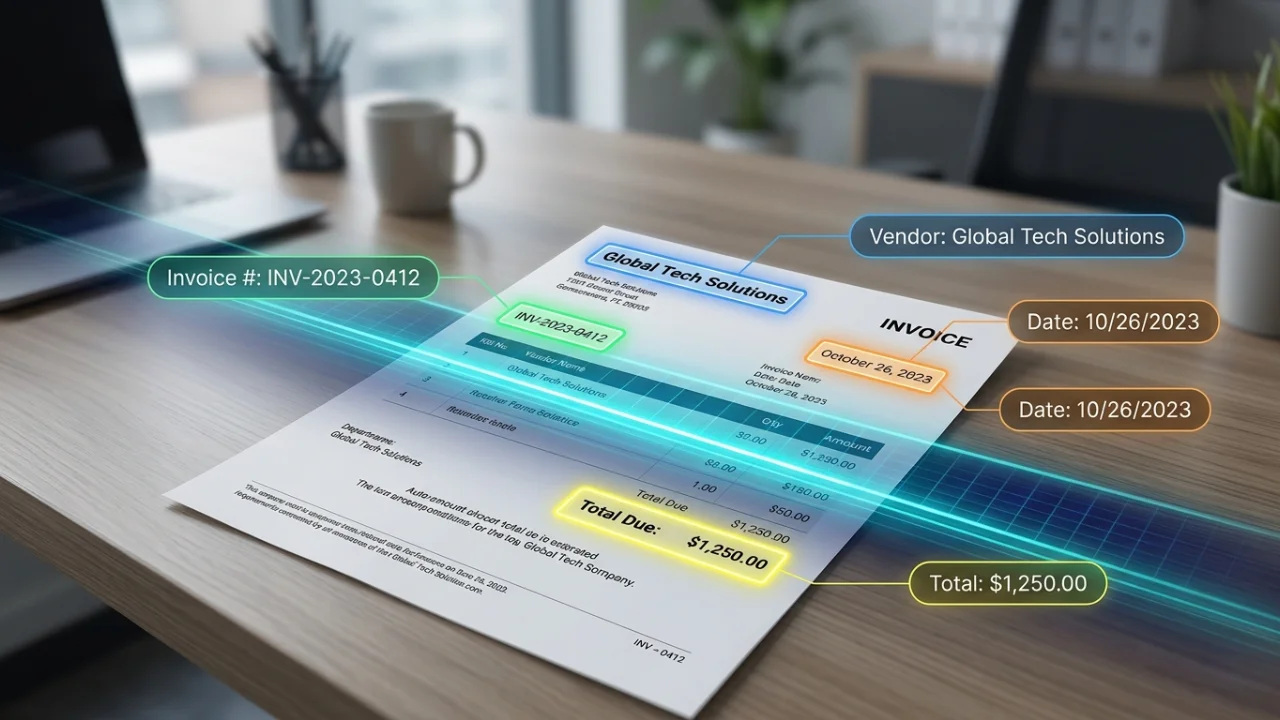
If you’re still typing vendor names, invoice numbers, and line-item totals into a spreadsheet by hand, you’re not just wasting time — you’re introducing errors that compound every month. Invoice OCR (optical character recognition) software reads a scanned invoice or PDF and turns it into structured data: vendor, date, line items, tax, and total, ready to drop into your accounting software.
The challenge is that “OCR” means very different things depending on the tool. Some products are simple scan-to-text converters. Others are full accounts-payable automation platforms with line-item extraction, approval workflows, and direct sync to QuickBooks or Xero. Picking the wrong one means either overpaying for enterprise features you’ll never touch, or underbuying and still doing manual cleanup every week.
This guide compares 10 invoice OCR tools for 2026 on accuracy, line-item extraction, integrations, and pricing — drawn from published vendor benchmarks, independent comparison sites, and verified user reviews on G2 and Capterra, cross-checked against each other rather than taken at face value from any single source.
A note on accuracy claims in this space
Before diving into specific tools, it’s worth being upfront about something most “best invoice OCR software” articles don’t mention: most published accuracy benchmarks are self-reported by the vendors themselves, using their own test documents and their own definition of “accuracy.” It’s common to see every vendor claim 98%+ accuracy and “outperform competitors” in their own marketing materials, which makes head-to-head claims hard to take at face value.
Where we cite a specific accuracy number below, we’ve noted whether it comes from the vendor’s own published benchmark or from independent sources (user reviews, third-party comparison sites). We’d encourage you to treat vendor-published numbers as a starting point, not a guarantee — and to test any shortlisted tool against your own real invoices using a free tier or trial before committing, since accuracy varies significantly based on your specific invoice formats and document quality.
Quick comparison table
[iocrh_freshness_ticker count=”5″]
[iocrh_comparison_table]
Full reviews, ranked
The top 5 are shown in full below. Tools 6–10 cover more specific cases — enterprise document processing, European spend management, and general-purpose PDF text recognition — worth a look if the top 5 don’t fit your situation.
[iocrh_tool_reviews show=”5″]
How to choose the right invoice OCR software
If you’re a solo freelancer or very small business processing under 20-30 invoices a month, Nanonets’ free tier is the most complete starting point — or Parseur if you want a permanent (not trial) free tier.
If you’re an accountant or bookkeeper managing multiple clients, Dext Prepare’s accounting-specific workflow makes it the most purpose-built option, despite the lack of a free tier.
If you have a developer or use no-code automation tools, Veryfi has the most rigorously disclosed accuracy benchmarks of any tool in this list; Docsumo is a solid alternative if you also process document types beyond invoices.
If you’re a mid-size company with an AP team, Rossum’s workflow automation is well-regarded, but go in with realistic expectations on cost.
If you’re a large enterprise with complex, varied document types (handwriting, forms, contracts alongside invoices), ABBYY Vantage is built for that scale — though it comes with an enterprise sales process and price tag to match.
If you’re a European SMB wanting invoice capture bundled with broader spend/expense management, Klippa SpendControl combines both in one platform.
If you just need searchable PDFs and process very few invoices, Adobe Acrobat’s OCR (if you already have a subscription) avoids adding another tool — just know it doesn’t extract structured fields the way the others do.
Frequently asked questions
What is invoice OCR software? Invoice OCR software uses optical character recognition and machine learning to read scanned invoices or PDFs and extract structured data — vendor name, invoice number, date, line items, tax, and total — instead of requiring manual data entry.
How accurate is invoice OCR in 2026? Vendor-published benchmarks for leading tools generally claim 95-99% field-level accuracy on standard documents, though these figures should be treated with some caution since most are self-reported.
Can invoice OCR software integrate with QuickBooks or Xero? Yes — most tools in this category, including Nanonets, Dext Prepare, Docsumo, and Rossum, offer direct integrations. API-based tools like Veryfi and Mindee can be connected via Zapier, Make, or custom code.
Is there free invoice OCR software? Yes. Nanonets, Mindee, Docsumo, and Parseur all offer genuinely usable free tiers — see the comparison table above for current figures. Dext Prepare, Rossum, and ABBYY Vantage offer free trials rather than permanent free tiers; Klippa SpendControl doesn’t publish a free trial at all.
What’s the best option for complex or varied document types, not just invoices? Docsumo and ABBYY Vantage both handle a wider range of document types (bank statements, tax forms, contracts) rather than being invoice-only specialists — ABBYY skews toward large-enterprise complexity, Docsumo toward a more accessible middle ground.
Should I trust vendor accuracy claims? Treat them as a starting point rather than a guarantee. One independent benchmarking analysis notes that most published invoice OCR benchmarks are self-referential. The most reliable approach is to test a shortlisted tool against your own real invoices before committing budget.
Related guides
- How invoice OCR works: a plain-English explainer
- Invoice OCR vs. manual data entry: which saves more time?
- Best apps for scanning invoices on your phone
- Best free invoice OCR software for small businesses
- Invoice OCR for accountants: top picks compared
Methodology & disclosure
This comparison is based on published vendor benchmarks (clearly attributed as such), independent third-party comparison sites, and verified user reviews from G2, Capterra, Software Advice, and Gartner Peer Insights. We have not independently run a standardized accuracy test across these 10 tools ourselves; where accuracy figures are cited, the source is noted so you can weigh the claim accordingly. Pricing and rating figures in the comparison table and reviews above are checked on a rolling basis — see “last checked” per tool.
InvoiceOCRHub may earn a commission from some links on this page, and this page may display advertising served by third-party networks. This does not affect which tools we include or how we describe their strengths and limitations.