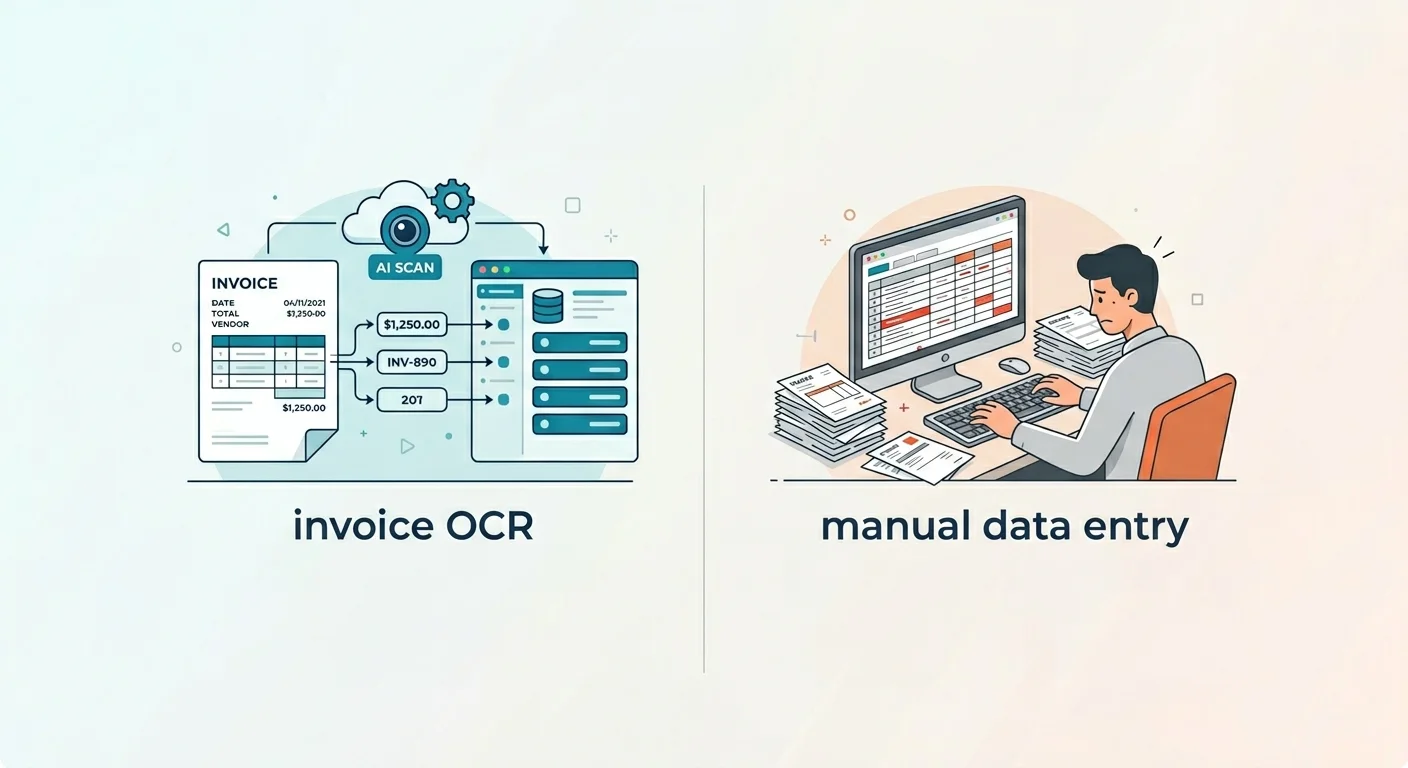
Invoice OCR vs Manual Data Entry – Every accounting software vendor claims their OCR tool will “save hours every week.” But how much time does invoice data entry actually take, and how much does OCR realistically save? This article breaks it down with actual numbers at different invoice volumes — so you can decide whether the cost of an OCR tool makes sense for your business.
How long does manual invoice data entry actually take?
The honest answer is: it depends on invoice complexity. A simple two-line invoice from a regular supplier takes 90 seconds. A 10-line invoice from a new vendor, with part numbers, discounts, and a freight charge, can take 5–7 minutes.
For planning purposes, a reasonable average across a typical mix of simple and complex invoices is 3 minutes per invoice, including:
- Opening the invoice (PDF, email, paper scan)
- Locating and entering vendor details
- Entering invoice number and date
- Entering each line item with quantity and price
- Entering tax and total
- Verifying the total matches line items
- Saving and filing
This 3-minute figure is conservative — it assumes you’re experienced with your accounting software and the invoice is reasonably clear. New vendors, unusual formats, and unclear PDFs push this higher.
Cost of manual entry by volume
At an average fully-loaded cost of $20/hour for the person doing data entry (which is on the low side for a bookkeeper or admin in most markets):
| Monthly invoices | Monthly hours | Monthly cost | Annual cost |
|---|---|---|---|
| 10 invoices | 0.5 hrs | $10 | $120 |
| 50 invoices | 2.5 hrs | $50 | $600 |
| 100 invoices | 5 hrs | $100 | $1,200 |
| 250 invoices | 12.5 hrs | $250 | $3,000 |
| 500 invoices | 25 hrs | $500 | $6,000 |
| 1,000 invoices | 50 hrs | $1,000 | $12,000 |
At higher volumes, the cost of manual entry becomes significant very quickly. And this table only counts direct labour — it doesn’t include the cost of errors, which we’ll cover below.
How much time does OCR actually save?
OCR doesn’t reduce time to zero — it reduces the time per invoice from roughly 3 minutes to roughly 30–60 seconds of review and correction. You still need to:
- Glance at the extracted fields and verify the key ones (vendor, total)
- Correct any fields the OCR got wrong (which depends heavily on document quality and tool accuracy)
- Approve and sync to your accounting software
With a good tool achieving 95-98% field accuracy, most invoices need no corrections at all. A small percentage (especially unusual layouts or poor scans) may need 1–2 field fixes. Blending these together, realistic review time per invoice with OCR is about 45 seconds on average.
| Monthly invoices | Manual time/cost | OCR time/cost | Monthly saving | Annual saving |
|---|---|---|---|---|
| 10 | 30 min / $10 | 7 min / $2.50 | ~$7.50 | ~$90 |
| 50 | 2.5 hrs / $50 | 37 min / $12 | ~$38 | ~$456 |
| 100 | 5 hrs / $100 | 75 min / $25 | ~$75 | ~$900 |
| 250 | 12.5 hrs / $250 | 3 hrs / $60 | ~$190 | ~$2,280 |
| 500 | 25 hrs / $500 | 6 hrs / $120 | ~$380 | ~$4,560 |
| 1,000 | 50 hrs / $1,000 | 12.5 hrs / $250 | ~$750 | ~$9,000 |
What does OCR software actually cost?
The time savings only matter if the software costs less than the saving. Here’s how the math works out at different price points:
Free tiers (Nanonets, Klippa, Mindee): up to roughly 100–200 documents/month free depending on the tool. If you’re under that volume, the OCR is essentially free and the time saving is pure gain.
Low-cost paid tools (Dext Prepare ~$20/month, Veryfi ~$0.08/document): at 50 invoices/month, Veryfi costs about $4/month. The time saving is ~$38/month. Net saving: ~$34/month. Clear win.
Mid-range tools (~$50-100/month): at 50 invoices/month, this is harder to justify. You’d need to be processing at least 150-200 invoices/month for a $100/month tool to pay for itself purely in labour savings.
Enterprise tools (Rossum, custom quote): only makes economic sense at high volumes (500+ invoices/month) or where approval workflow automation adds value beyond just data entry.
The hidden cost of errors
Manual data entry has an error rate of roughly 1–4% per field, depending on the person and the volume. At first glance, that sounds small. But consider:
- One wrong digit on a payment amount can mean overpaying or underpaying a supplier
- A mis-entered invoice number causes reconciliation problems that take time to untangle
- Duplicate invoice entry (paying the same invoice twice) happens regularly with manual processes and is surprisingly easy to miss
A study by the Institute of Finance and Management (IOFM) estimated that the average cost to correct an error in an AP process is $53. If you’re processing 100 invoices a month with a 2% error rate, that’s 2 errors per month, costing $106/month in correction time — more than the cost of most OCR tools.
Most invoice OCR tools also include duplicate detection, automatically flagging if an invoice number from the same vendor has already been processed. This alone can pay for a tool’s cost if you currently have a duplicate payment problem.
When manual entry still makes sense
OCR doesn’t make sense for everyone. Manual entry is still fine if:
- You process fewer than 10 invoices per month and have spare time
- Your invoices are already coming in as structured data from a supplier portal (in which case the integration, not OCR, is the right solution)
- Invoice formats are so unusual or handwriting-heavy that no OCR tool can achieve acceptable accuracy
In these cases, a basic searchable PDF (which Adobe Acrobat or even free tools can produce) may be all you need. See our best invoice OCR software comparison for where accuracy falls on hard documents.
The Invoice OCR vs Manual Data Entry breakeven calculation
A simple way to decide: take your monthly invoice count and multiply by 3 minutes. If that total is more than 2 hours per month, OCR will almost certainly pay for itself at any price point under $50/month.
If it’s under an hour per month, start with a free tier and upgrade only when you outgrow it.
Frequently asked questions
Does OCR work if I take a photo with my phone? Yes — most modern tools handle mobile photos well, including the Dext Prepare and Nanonets mobile apps. Image quality matters more than how the photo was taken; make sure the invoice is flat, well-lit, and all four corners are visible.
What happens if the OCR gets a field wrong? Most tools show you extracted fields before syncing to your accounting software, so you can catch and correct errors in the review step. Good tools flag low-confidence fields for your attention automatically.
Does OCR work for invoices in other languages? Depends on the tool. Veryfi, Klippa, and Rossum handle multi-language invoices well. Simpler tools may struggle with non-English invoices.
Can I use OCR for purchase orders and receipts too, not just invoices? Yes — the same tools generally handle purchase orders and receipts. Receipt OCR is if anything easier than invoice OCR since receipts tend to be simpler in structure.
Next steps
- Best invoice OCR software in 2026 — full comparison with accuracy scores
- How invoice OCR works — the technology explained simply
- Best free invoice OCR software for small businesses — start without spending anything